The Ultimate QR Code Sizing Guide: How Small Can a QR Code Be?
Learn the optimal QR code size for every application. From business cards to billboards, we cover the 10:1 distance ratio, minimum dimensions, and resolution standards for 2026.
Quick Response Codes (QR Codes) are a fantastic way to connect with customers—as long as they’re scannable. If your codes are too small, they simply won’t work, creating frustration instead of engagement. But how small is too small?
In this comprehensive guide, we'll break down the minimum size requirements for high-functioning QR Codes, scanning distance ratios, and design best practices for 2026.
What is QR Code Scanning Distance?
Scanning distance is the maximum distance a user can be from a QR Code while still scanning it successfully. This distance depends primarily on the size of the QR Code.
The 10:1 Ratio Rule
As a rule of thumb, the scanning distance is about 10x the QR Code size. You can calculate your required size using this simple formula:
QR Code Width = (Scanning Distance) / 10
- 20cm away: 2cm code (Perfect for business cards)
- 2 feet away: 2.4 inch code
- 6-7 feet away: 8 inch code (Storefront signs)
- 30 feet away: 36 inch code (Billboards or digital screens)
Minimum Size Guidelines
How Small Can a QR Code Be?
For close-up scanning (like in-hand products), a QR Code must be at least 2 x 2 cm (0.8 x 0.8 in).
In the digital world, size is measured in pixels. At this 2cm physical size, your resolution should be at least 76 x 76 px (based on approximately 38 pixels per centimeter). While some high-end smartphones can read smaller codes, sticking to the 2cm minimum ensures that everyone, regardless of their device quality, can access your content.
Use Cases for Short-Distance Scanning:
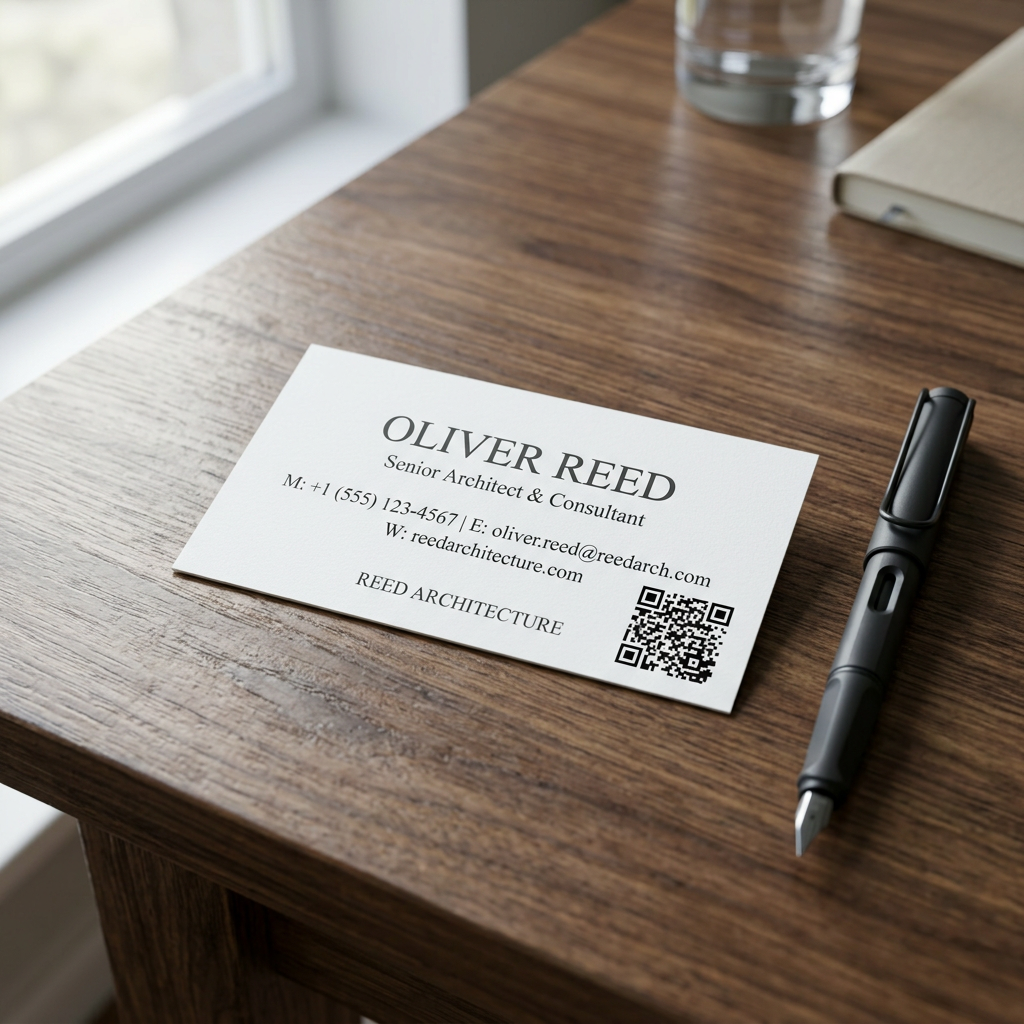
- Business Cards: 0.8" x 0.8" is the gold standard.
- Product Packaging: Great for manuals or warranty registration.
- Table Tents: Common for restaurant menus or mobile payments.
- Direct Mail: Invoices, receipts, and flyers.
Factors That Influence Scannability
1. The Quiet Zone (Buffer Space)
The "Quiet Zone" is the empty space surrounding a QR Code. It helps scanners distinguish the code from surrounding text or graphics.
- The Rule: Your quiet zone should be at least 4x the width of a single module (the small squares in the code).
- Design Tip: For a 2cm code, aim for at least a 0.25" (6.4mm) white border for safe scanning.
2. Resolution and File Formats
A blurry QR Code is a broken QR Code. Choosing the right format is critical:
- PNG / WebP: Best for digital use (websites, emails, social media).
- SVG / EPS: These are vector formats and are essential for print. They allow you to scale the code to any size—from a postage stamp to a billboard—without losing clarity.
3. Color and Contrast
While you don't have to stick to black and white, contrast is non-negotiable.
- Contrast Ratio: Aim for a minimum 4:1 contrast ratio.
- Backgrounds: Always ensure the modules (dark parts) are significantly darker than the background. Avoid "inverted" codes (white on dark) if possible, as some older scanners struggle with them.
Advanced: QR Code Shapes and Types
Do QR Codes Have to be Square?
While the functional data pattern is always mapped to a square, the "template" around it can be a circle or a custom shape.
- Circle QR Codes: These are rendered in a circular frame, often used for branding.
- iQR & rMQR Codes: These are newer rectangular QR codes developed by Denso Wave. They are designed for long, narrow spaces where a square code won't fit.
Micro QR Codes
Designed for extreme space constraints, Micro QR Codes range from 11x11 to 17x17 modules. They hold less data than standard codes (which start at 21x21) but are perfect for small industrial components.
Ensuring Accessibility and Success
Placement Strategy
- Posters/Flyers: Place the code in the center at eye level.
- Print Ads: Position it in a corner to avoid distracting from the main message.
- Billboards: Place the code on the lower half of the advertisement to make it easier for people passing by to scan from below.
Use Dynamic QR Codes
Dynamic QR Codes store a short URL that redirects to your destination.
- Lower Density: Because the encoded URL is short, the QR pattern stays "simple" and scans faster at small sizes.
- Error Correction: Dynamic codes allow for higher error correction levels, meaning they can still be scanned even if the print is slightly damaged or covered by a logo.
Conclusion
Size matters, but so does context. Whether you are designing a business card or a billboard, follow the 10:1 ratio and never go below the 2 x 2 cm minimum. By prioritizing contrast and resolution, you ensure your QR campaigns capture every possible scan.
Ready to create a high-resolution, perfectly sized QR code? Generate your custom QR code now →
Related Reading:
Ready to Create Your QR Code?
Put what you've learned into practice. Generate your first QR code in minutes.
Start Generating QR Codes