Custom QR Code Generator: Complete Guide to Designing Unique QR Codes
Learn how to create custom QR codes with unlimited design options. Complete guide to colors, shapes, patterns, frames, and advanced customization features for professional branded QR codes.
Custom QR codes allow you to create unique, branded QR codes that stand out and reinforce your brand identity. Unlike standard black-and-white QR codes, custom QR codes can be designed with colors, shapes, patterns, and logos to match your brand perfectly.
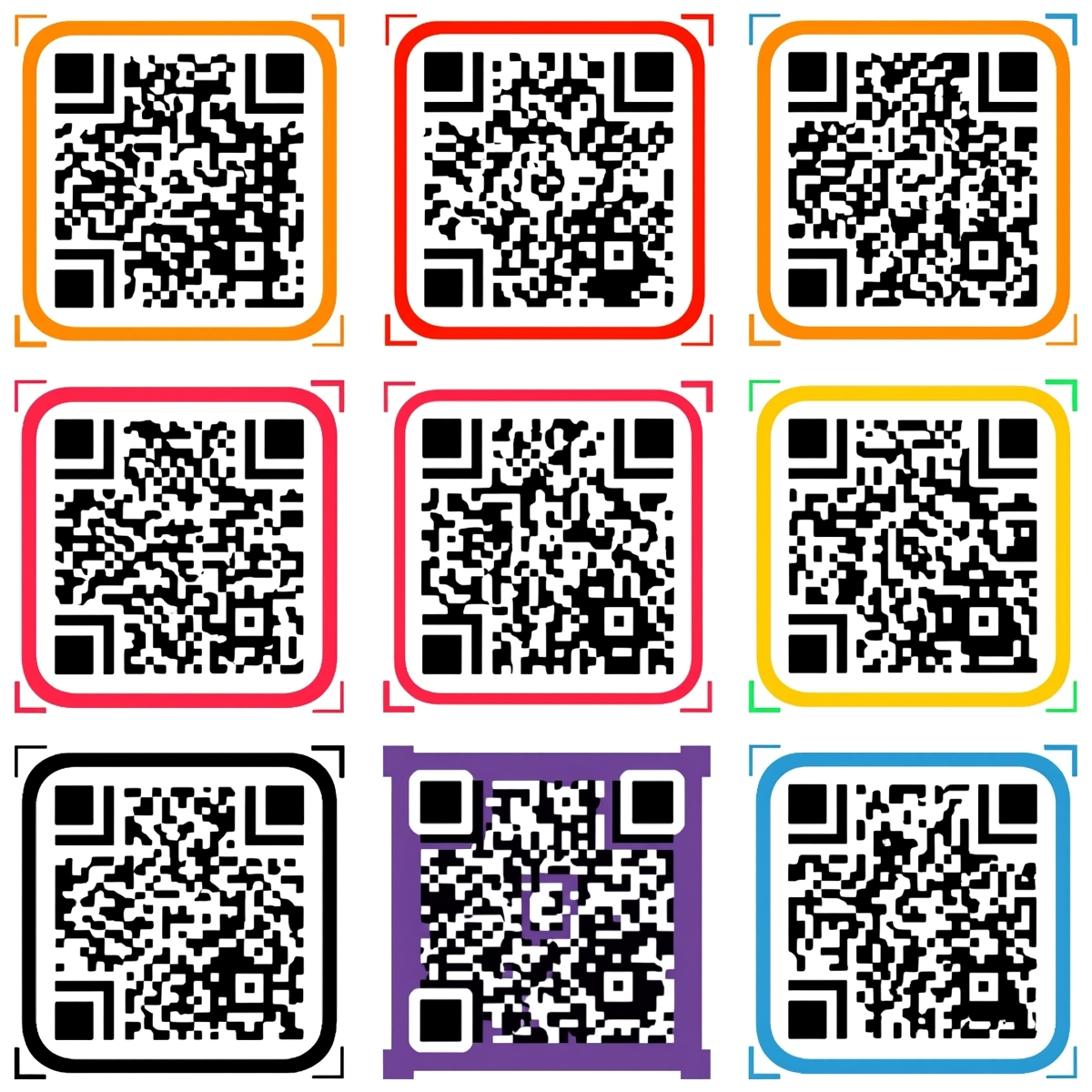
What is a Custom QR Code Generator?
A custom QR code generator is a tool that allows you to design QR codes with advanced customization options beyond basic black and white patterns. These tools enable you to:
- Change colors: Customize foreground and background colors
- Add logos: Embed your brand logo in the center
- Modify shapes: Use rounded corners, dots, or custom patterns
- Add frames: Include decorative borders and "SCAN ME" text
- Adjust patterns: Customize the eye patterns and data modules
Why Customize Your QR Codes?
Brand Recognition
Custom QR codes immediately identify your brand, making them more recognizable and trustworthy than generic black-and-white codes.
Increased Engagement
Studies show that branded, custom QR codes receive 40% more scans than standard codes. The visual appeal encourages users to interact with your QR code.
Professional Appearance
Custom QR codes look polished and professional, perfect for:
- Business cards and marketing materials
- Product packaging and labels
- Event materials and signage
- Restaurant menus and table tents
- Social media and digital marketing
Stand Out from Competitors
In a world full of generic QR codes, custom designs help you stand out and make a memorable impression on your audience.
Complete Customization Options
1. Color Customization
Foreground and Background Colors
- Foreground color: The QR code pattern itself (traditionally black)
- Background color: The area around the pattern (traditionally white)
- Gradient support: Some generators support gradient backgrounds
- Transparent backgrounds: For use on images or colored surfaces
Color Best Practices
- High contrast: Ensure strong contrast between foreground and background
- Brand colors: Use your brand's color palette for consistency
- Accessibility: Ensure colors meet WCAG contrast requirements
- Testing: Always test custom colors to ensure scannability
2. Logo Integration
Adding your logo to a QR code is one of the most effective customization options:
- Logo placement: Center of the QR code
- Logo size: Typically 20-30% of QR code area
- Logo shapes: Circle, square, or rounded corners
- Logo padding: Space around logo for better scanning
Best practices:
- Use high-resolution logos (300+ DPI)
- PNG format with transparent background works best
- Keep logo simple and recognizable
- Test thoroughly before printing
3. Shape Customization
QR Code Patterns
- Square modules: Traditional square pattern
- Rounded corners: Softer, more modern appearance
- Dots pattern: Circular dots instead of squares
- Extra rounded: Maximum rounded corners for modern look
Eye Patterns (Position Markers)
- Square eyes: Traditional square position markers
- Rounded eyes: Softer appearance
- Custom eye shapes: Some generators allow custom eye designs
4. Frame and Text Options
Decorative Frames
- "SCAN ME" text: Add instructional text around QR code
- Border designs: Decorative borders and frames
- Custom text: Add your own messaging
- Font customization: Choose fonts that match your brand
Frame Layouts
- Top frame with text
- Bottom frame with text
- Full border frame
- Minimal border options
5. Advanced Customization
Error Correction Levels
- Low (L): ~7% error correction, smallest QR code
- Medium (M): ~15% error correction, standard option
- Quartile (Q): ~25% error correction, good for logos
- High (H): ~30% error correction, maximum customization
Recommendation: Use Medium or High error correction when adding logos or customizing heavily.
Module Size and Spacing
- Adjustable module size
- Custom spacing options
- Quiet zone customization
Step-by-Step: Creating Custom QR Codes
Step 1: Choose Your QR Code Type
Select the type of content you want to encode:
- URL for websites
- Text for messages
- WiFi for network sharing
- vCard for contact information
- And more...
Step 2: Enter Your Content
Input the data you want to encode in your QR code.
Step 3: Customize Colors
- Select foreground color (QR code pattern)
- Choose background color
- Preview the result
- Adjust for optimal contrast
Step 4: Add Your Logo (Optional)
- Upload your logo file
- Adjust logo size (20-30% recommended)
- Choose logo shape (circle/square)
- Position logo in center
Step 5: Customize Shapes
- Select QR code pattern style
- Choose eye pattern style
- Adjust corner rounding
- Preview changes
Step 6: Add Frame (Optional)
- Choose frame layout
- Add custom text
- Select font and size
- Adjust frame colors
Step 7: Test Your QR Code
Always test before printing:
- Scan with multiple devices
- Test in different lighting
- Verify destination URL
- Check from different distances
Step 8: Download
Download in your preferred format:
- PNG: Best for digital use and printing
- SVG: Scalable vector format
- PDF: High-quality for professional printing
Design Templates and Presets
Many custom QR code generators offer design templates:
Business Templates
- Professional blue and white
- Corporate branding colors
- Minimalist designs
Creative Templates
- Vibrant color schemes
- Artistic patterns
- Modern geometric designs
Industry-Specific Templates
- Restaurant and food service
- Retail and e-commerce
- Events and entertainment
- Healthcare and wellness
Best Practices for Custom QR Codes
1. Maintain Scannability
- Test thoroughly: Always test custom QR codes before final use
- High contrast: Ensure strong contrast between colors
- Error correction: Use Medium or High error correction
- Size matters: Don't make QR codes too small
2. Brand Consistency
- Use brand colors: Match your brand's color palette
- Include logo: Add your logo for brand recognition
- Consistent style: Use the same design across all QR codes
- Brand guidelines: Follow your brand's design guidelines
3. Context Matters
- Print materials: Consider how colors will look when printed
- Digital use: Optimize for screen viewing
- Size requirements: Ensure QR code is large enough for scanning
- Placement: Position QR code where it's easily accessible
4. Performance Optimization
- File size: Balance quality with file size
- Format selection: Choose appropriate format for use case
- Resolution: Use high resolution for printing (300+ DPI)
Common Customization Mistakes to Avoid
❌ Too Much Customization
Problem: Over-customizing can make QR codes unscannable
Solution: Keep customization balanced - maintain scannability
❌ Poor Color Contrast
Problem: Low contrast makes QR codes hard to scan
Solution: Always ensure high contrast between foreground and background
❌ Logo Too Large
Problem: Large logos can interfere with scanning
Solution: Keep logos between 20-30% of QR code area
❌ Not Testing
Problem: Custom QR codes may not scan if not tested
Solution: Always test with multiple devices before final use
❌ Inconsistent Branding
Problem: Different designs across QR codes confuse users
Solution: Maintain consistent design language
Real-World Examples
Business Cards
- Custom QR codes with company logo
- Brand colors matching business card design
- Links to LinkedIn profile or company website
- Professional appearance increases networking effectiveness
Product Packaging
- Branded QR codes on product labels
- Links to product information, reviews, or promotions
- Reinforces brand identity at point of sale
- Custom colors match product packaging
Marketing Materials
- Custom QR codes on flyers, posters, and brochures
- Branded designs that stand out
- Tracks campaign performance (with dynamic QR codes)
- Professional appearance increases engagement
Restaurant Menus
- Logo QR codes on table tents or menus
- Links to online menu, reviews, or ordering
- Creates seamless customer experience
- Branded appearance builds trust
Event Materials
- Custom QR codes for event tickets
- Links to event information or check-in
- Branded designs for event branding
- Tracks attendance and engagement
Custom QR Code Generator Comparison
Free Customization
- Basic color options
- Simple logo upload
- Limited shape options
- Standard frames
Professional Customization (Starting at $4.99/month)
- Unlimited color options
- Advanced logo customization
- All shape and pattern options
- Custom frames and text
- Gradient backgrounds
- Bulk customization
- API access for automation
Technical Considerations
File Formats
- PNG: Best for most use cases, supports transparency
- SVG: Scalable vector format, perfect for web
- PDF: High-quality format for professional printing
- EPS: Vector format for design software
Resolution Requirements
- Digital use: 72-150 DPI
- Print materials: 300+ DPI
- Large format printing: 150-300 DPI depending on size
Size Guidelines
- Minimum size: 2x2 cm (0.8x0.8 inches)
- Recommended size: 3x3 cm (1.2x1.2 inches) or larger
- Large format: Scale up proportionally
Conclusion
Custom QR code generators allow you to create unique, branded QR codes that stand out and reinforce your brand identity. By following best practices and avoiding common mistakes, you can create professional, scannable QR codes that increase engagement and brand recognition.
Key takeaways:
- Customize colors to match your brand
- Add logos for brand recognition
- Test thoroughly before final use
- Maintain high contrast for scannability
- Use consistent design across all QR codes
At CustomQR.pro, we offer comprehensive customization options starting at just $4.99/month, including unlimited custom QR codes, advanced design options, and professional features.
Ready to create your custom QR code? Start customizing now or explore our features to see all customization options.
Ready to Create Your QR Code?
Put what you've learned into practice. Generate your first QR code in minutes.
Start Generating QR CodesRelated Articles
Why Use QR Code? Benefits, Use Cases, and Real-World Applications
Discover why QR codes are essential for businesses and individuals. Learn about QR code benefits, use cases, ROI, and success stories. Find out when and how to use QR codes effectively.
When to Use QR Code: Best Use Cases and Timing Guide
Learn when to use QR codes effectively. Discover the best scenarios, timing, and use cases for QR codes in business and personal applications. Avoid common mistakes.
What Size Should QR Code Be? Complete Size Guide for All Use Cases
Learn the optimal QR code size for printing, digital display, and different applications. Understand minimum size requirements, distance calculations, and best practices for QR code dimensions.